
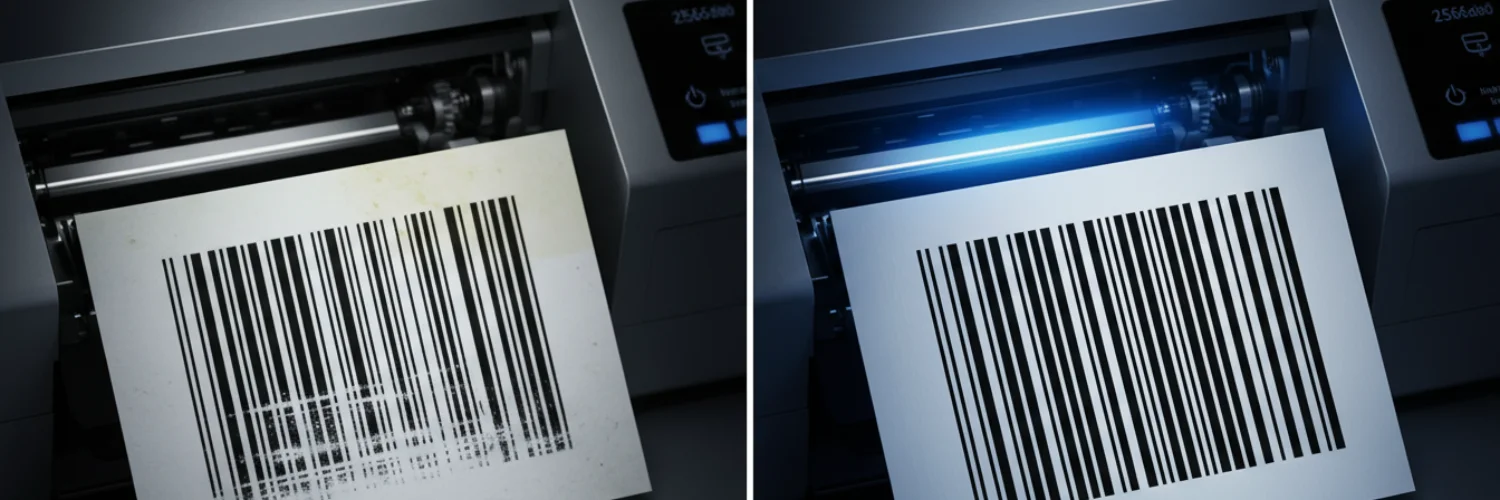
When the scanner is aimed at the barcode on a 4×6 direct thermal label, you’re met not with a crisp “beep,” but with deathly silence.
This is perhaps one of the most frustrating problems in logistics and shipping—the printed barcode cannot be scanned.
It not only means stagnant efficiency, but it can also lead to packages being returned at the transit center.
As a manufacturer deeply involved in the research and development of self-adhesive labels and their raw materials, we’ve found that this kind of problem often hides in easily overlooked details.
Is it a printer malfunction? Or is there an error in the label material?
Don’t worry!
After reading this article, you’ll be able to pinpoint the problem accurately in the shortest time, just like a technical expert, ensuring that every 4×6 thermal label can be scanned instantly.
30-second quick self-check
| Problem | Preliminary Assessment |
| Are there obvious scratches, wrinkles, or bright white vertical lines on the barcode surface? | Print head carbon buildup or hardware damage |
| Are the barcode lines grayish, blurry, or have unclear black-and-white boundaries? | Incorrect print density settings |
| Does the barcode extend beyond the label edge, or has it been stretched or deformed? | Incorrect template size setting |
| Is there hand sweat, oil stains, or adhesive residue on the label surface? | Environmental pollution or adhesive quality issues |
In-depth investigation into the causes of barcode failure
1.Coating sensitivity and color development blackness
The first thing to check is the label’s thermal coating.
This is usually because the thermal sensitivity of the coating is mismatched with the printer’s pulse power.
Furthermore, if the sensitizer distribution in the thermal paper is uneven, the heat released by the printhead will not be enough to trigger a sufficient color development reaction.
Some low-end thermal papers, in order to reduce costs, have unstable sensitizer ratios. Under the instantaneous high temperature of the printer, the heat not only penetrates downwards but also diffuses laterally.
This micron-level displacement will disrupt the barcode’s fixed-width compression ratio.
Solutions:
1.1.Density test
Do not blindly adjust to the highest value. Excessive heat will cause “thermal diffusion,” resulting in the black bars spreading to both sides.
Method for judging the effect: Observe the edge of the barcode. If the edge remains sharp rather than rough at the moment of successful scanning, then this value is the optimal sensitivity point for the current paper.
If the barcode becomes black after increasing the density but is still difficult to scan, it means the “bars” have overflowed, and the density needs to be reduced.
1.2.Match printing speed
The faster the printing speed, the shorter the dwell time of the print head at each pixel.
If the sensitizer in the 4×6 thermal label paper responds slowly, high-speed printing can cause the barcode colors to appear blurry.
Method for judging the effect: If the barcode clarity is significantly improved at low speeds, it indicates that this batch of label paper is a “low-sensitivity” material.
To meet the demands of high-speed printing, the label material can be replaced with high-sensitivity thermal paper.
1.3.Adjust resolution and jitter settings
Go to the “Graphics” tab in your printer preferences and set “Jitter” to “None” or “Solid”.
Also, if your device supports it, ensure that “1:1 Native Resolution Output” is checked.
Method for judging the effect: Observe the long side of the barcode. If the jagged edges disappear and the lines become smooth, the scan pass rate will be significantly improved.
1.4.Thermal response stress test of surface material
If the above software adjustments are ineffective, it’s necessary to determine if the heat sensitivity limit of the label material itself is too high.
Print a label containing microtext using a high resolution, such as 300 DPI.
Improvement method: If the microtext appears blurred and the barcode is grayed out, this is a typical thermal hysteresis phenomenon, proving that the label paper lacks layered coating technology.
In this case, the only solution is to replace it with a professional-grade label with top-coating technology. This material has an insulating layer between the base layer and the sensitizing layer, which forces heat upwards, fundamentally solving the problem of insufficient color development and blackness.
⭐Expert advice:When the temperature of low-end uncoated paper is excessively increased, the lack of thermal insulation leads to lateral heat conduction, causing a “thermal diffusion effect” in physics.
In the ISO/IEC 15416 standard, this will result in a failure of the “modulation ratio” index, directly deeming the barcode invalid.
2.Printhead carbon buildup and physical wire breakage
If a thin, fixed white line runs vertically through the barcode, it usually indicates irreversible physical damage to the printhead (TDK/Kyocera) or severe toner buildup.
Solutions:
2.1.Physical line break confirmation
Print a completely black square image.
If the white line position remains fixed, it’s a “dead pixel” in the printhead; if the white line position jumps randomly, it’s just debris obscuring the printhead.
2.2.Deep cleaning
Completely disconnect the power and allow the printhead to cool.
Use a lint-free cotton swab containing 99% isopropyl alcohol to wipe the hot wires of the printhead in one direction (do not rub back and forth).
2.3.Static electricity environment inspection
Check if your labels have a conductive antistatic coating.
Inferior paper, when subjected to high-speed friction, can generate static electricity that attracts tiny particles, forming an electric arc that can damage the printhead transistors.
2.4.Consumable replacement
If the white lines persist after cleaning, it indicates that the printhead is burnt out and the hardware needs to be replaced.
3.Excessive die-cutting pressure and chemical failure caused by adhesive seepage
Improper die-cutting processes can cause adhesive seepage, affecting the thermal layer.
This is the root cause that 99% of users cannot find when encountering blurry barcodes.
This not only makes the edges of 4 x 6 thermal label rolls sticky, but also alters the chemical properties of the thermal layer, causing the barcode to appear blurry or gradually disappear over time.
Solutions:
3.1.Backing paper pressure test
Randomly tear off a few unprinted labels and observe the backing paper against a strong light.
If there are obvious knife marks on the backing paper with a depth exceeding 1/3 of the paper thickness, it indicates excessive production pressure, cutting the adhesive-resistant fibers.
3.2.Ambient temperature adjustment
Bleaching will be exacerbated at high temperatures.
Please move the stored labels to a cool place below 25°C and observe whether newly printed labels are still blurry.
3.3.Replace anti-bleaching consumables
If the edges of existing labels have started to become sticky, it indicates that the adhesive stability has been affected.
4.Signal scattering interference
Barcode scanning essentially relies on the difference in reflectivity of infrared light emitted by the scanner on a black and white medium.
Inferior label surfaces appear uneven under a microscope.
Even if the barcode is printed very black, the unevenness of the white background causes the reflected signal back to the scanner to be cluttered, resulting in a low signal-to-noise ratio.
Solutions:
4.1.Tactile comparison:
If the thermal paper feels noticeably grainy or dry, its reflectivity is definitely substandard.
4.2.Scanner angle fine-tuning:
Try changing the angle between the scanner and the label, and observe if a weak reflection signal can be captured. If it can be detected, it confirms insufficient paper flatness.
4.3.Raw material upgrade:
Choosing a high-smoothness surface material not only reduces diffuse light reflection but also increases the contact area between the printhead and the paper, resulting in richer and more uniform color development.
5.Invisible chemical reactions
If a barcode is scannable when printed but becomes unreadable a few hours after being applied to a package, a chemical reaction has likely occurred.
Many logistics scenarios use stretch wrap film or PE courier bags containing plasticizers.
Ordinary direct thermal labels, when exposed to the plasticizers in these plastic products or the oils on handlers’ hands, will experience fading or discoloration of the thermal print.
Solutions:
5.1.Environmental assessment
Check if the package uses PE stretch film, PVC tape, or markers containing solvents.
The plasticizers in these materials can affect the thermal image.
5.2.Triple-protection performance self-test
Apply a drop of cooking oil or alcohol to the label surface, let it sit for 5 minutes, and then wipe it off.
If the text disappears or changes color instantly, it indicates that the paper does not have protective capabilities.
5.3.Protection upgrade
For the demanding environment of the logistics industry, ordinary thermal paper must be upgraded to top-coated triple-protection paper.
Likexin’s triple-protection series ensures that barcodes remain clear and readable even under oil penetration or alcohol wiping, guaranteeing that package information remains intact during long-distance transit.
Technical Depth: An authoritative analysis of barcode readability
The readability (read rate) of a barcode largely depends on “edge sharpness” and “symbol contrast.”
According to ANSI/ISO barcode testing standards, a scannable barcode needs to achieve a specific contrast level.
Technical research shows that when the surface smoothness of thermal paper improves, the heat transfer efficiency of the print head increases by 15%-20%, significantly improving the clarity of barcode edges.
Furthermore, a study on thermal imaging published in the Journal of Imaging Science and Technology indicates that:
The “image stability” of thermal paper is positively correlated with the initial whiteness and thermal sensitivity threshold of the substrate material.
When ambient temperature fluctuations exceed 10°C, the contrast of uncoated thermal paper decreases 3-5 times faster than paper with a top coating.
Prevention and avoidance measures
We recommend building a prevention system from the following three dimensions:
Standardized Configuration of Driving Parameters
Many scanning failures are not due to paper quality, but rather to geometric deformation caused by “scaling distortion.”
Especially when using a 4×6 thermal label template for Mac, the Mac system driver often defaults to selecting “Scale to fit paper size.”
This seemingly user-friendly feature actually fine-tunes the line width ratio of the barcode, resulting in the barcode not conforming to the standard module width.
Therefore, it is essential to lock the scaling ratio to 100% (or original size) in the print settings to ensure that every black bar and white space of the barcode strictly follows the ratio generated by the original algorithm.
Optimization of the Software Environment
Many e-commerce sellers, for convenience, are accustomed to obtaining shipping labels directly from 4×6 thermal label Word documents by taking screenshots.
Screenshots convert vector graphics into bitmaps, and the edges of the barcode change from smooth straight lines to jagged pixels.
These tiny jagged edges are further magnified during the thermal imaging process, causing scanning gun sampling errors.
The most professional approach is to insist on using PDF format or professional label design software for export to preserve the complete vector paths.
This way, even in a low DPI environment, the printer can receive precise coordinate instructions and print barcodes with clear boundaries.
Choosing High-Quality “Three-Proof” Label Materials
The logistics environment is extremely complex; a single label may experience rainwater immersion, conveyor belt oil stains and friction, and long-term corrosion from plasticizers in courier bags.
Truly high-quality direct thermal 4×6 labels should undergo rigorous chemical resistance testing during the research and development phase.
For example, Likexin’s high-performance label material maintains its thermal color layer stability even after being wiped with alcohol or exposed to grease, without fading or background blackening.
Choosing “three-proof” paper with waterproof, oil-proof, and scratch-resistant properties not only protects the readability of the barcode but also protects your brand reputation from being damaged due to the loss of logistics information.
If you find that changing the printer settings still doesn’t solve the problem, it often means that the existing label consumables have reached their performance limit.